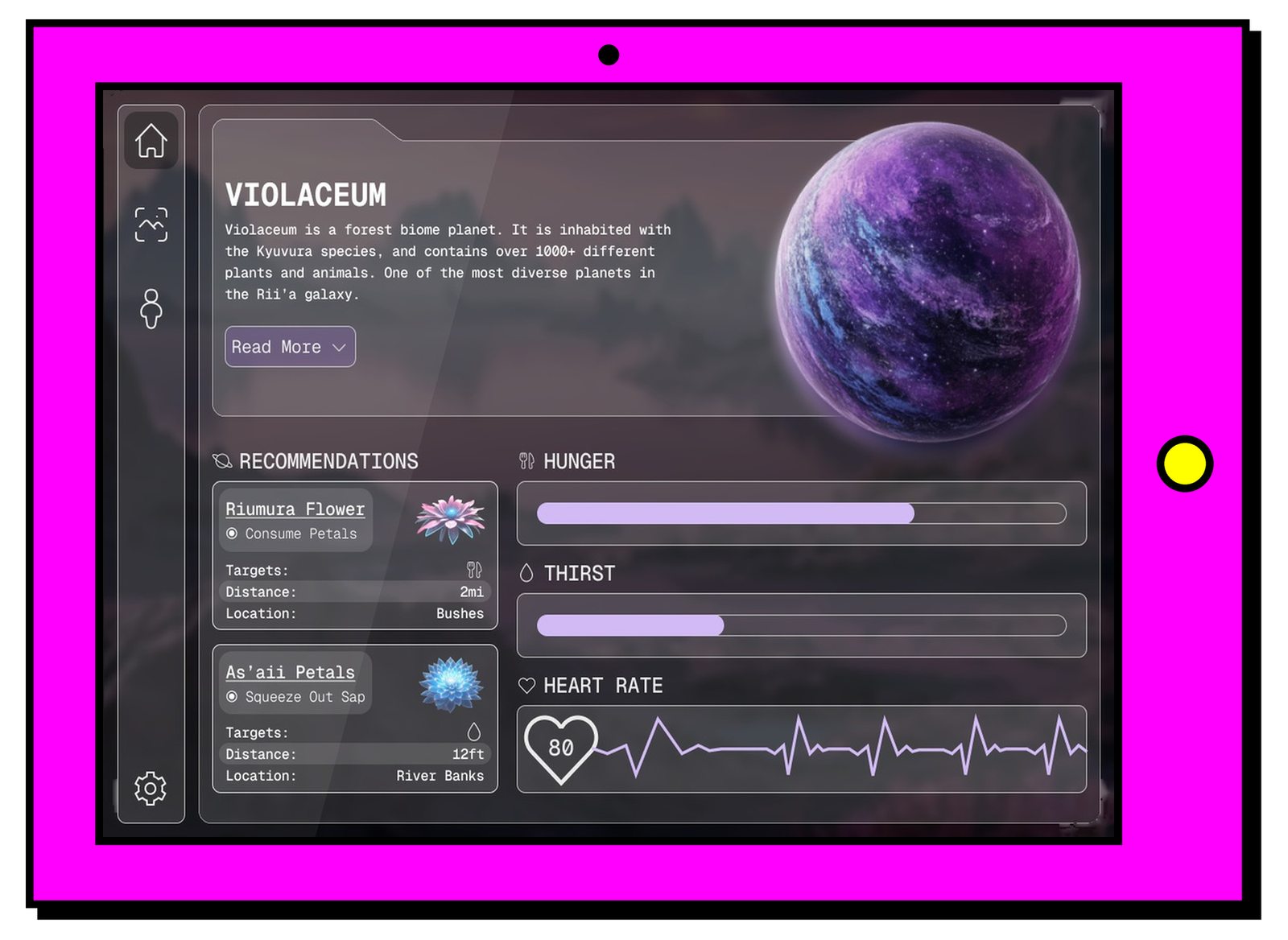
Planetra
Overview
Figma hosted a Design-a-thon in 2026, and I joined a team of three to strengthen my teamwork and design skills. Over the course of 72 hours, we worked through a highly expedited goal-directed design process to meet the deadline and submit our project on time.
Prompt
Design a tool that tracks, measures, visualizes, or quantifies an aspect of human sensory experience. Within the tool, provide the ability to detect, enhance, or manipulate those same sensory inputs.
Choosing a Sense
At the start of brainstorming, we tried to narrow in on a specific sense to tackle. Sight, taste, touch, smell, and hearing weren’t speaking to us, and it was only after more research that we learned humans actually have between 22 and 33 different senses! We chose to focus on interoception, the sense that allows you to notice, interpret, and manage signals originating from inside your body.
Purpose of the App
We wanted to create an app that helps users better decode what their body is trying to tell them while keeping them safe if they ever find themselves in a dangerous situation. The twist? Our target demographic is space explorers! In the world where Planetra exists, everyone has a brain chip that tracks data about the body’s internal signals. Planetra gives users access to this data, acting as a service that tracks their information, informs them of changes, and instructs them on how to survive on the different planets they may encounter while exploring.
Creating Personas
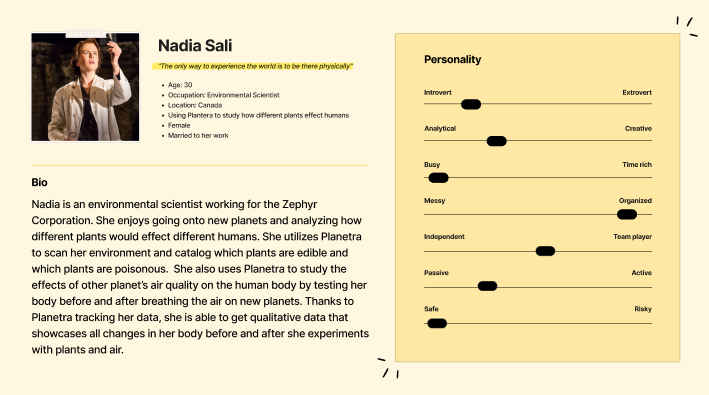
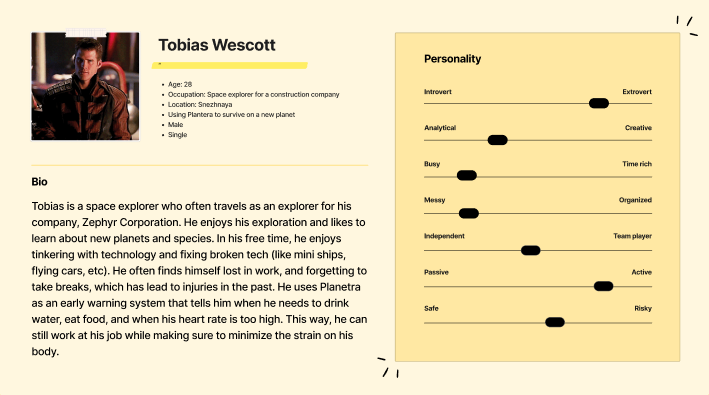
After defining the app’s purpose, we moved into creating personas for our target demographic. We made two personas: an environmental scientist who uses Planetra to study how her body reacts to different environments, and a construction worker who relies on Planetra to know when to take breaks and take care of himself on the job.
Wireframing
We moved on to wireframing next, and with the time remaining in the challenge, we had to narrow our scope to onboarding, a home page, environmental scanning, and body scanning. We had hoped to add a feature that let users switch planets, which would give them a different home page and environmental scanner for each one. However, one of the key lessons we learned was how to limit scope.
Prototyping
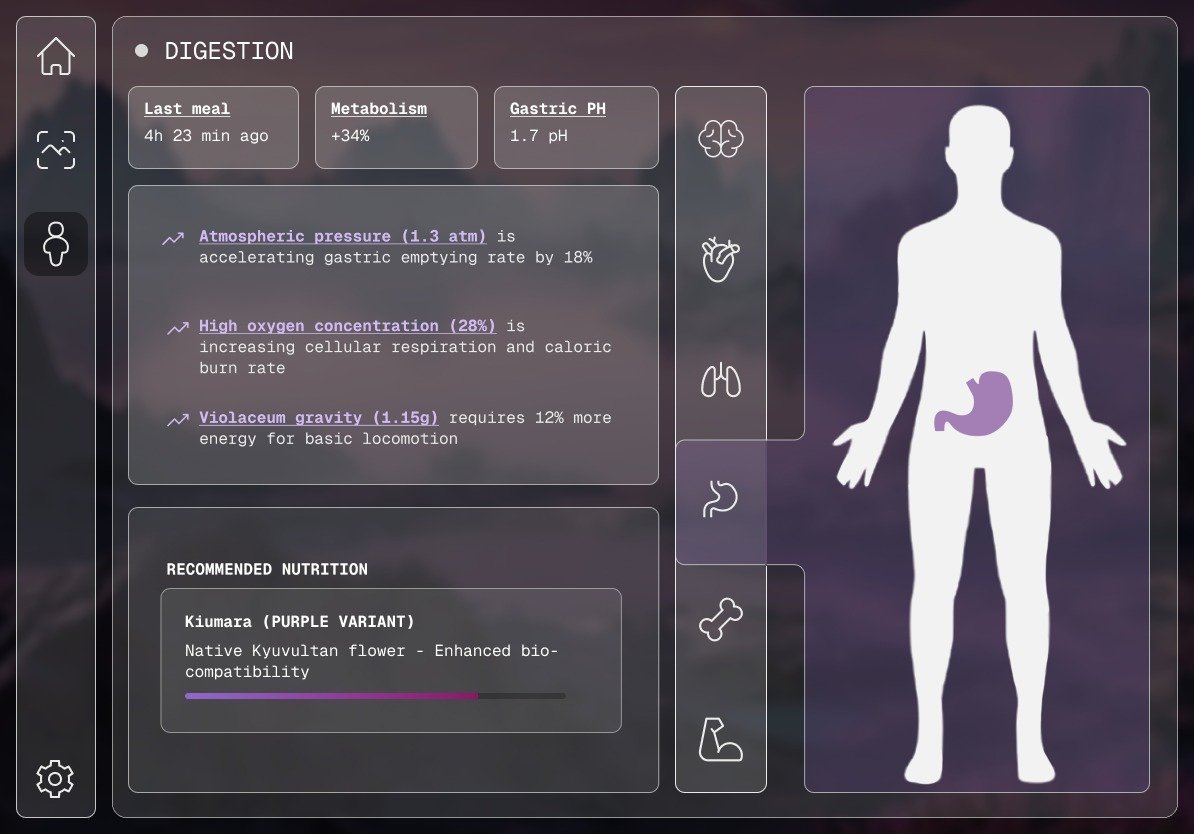
Prototyping took up most of our time, as we had to choose a design system and build all of our components. After many, many rounds of iteration, we ended up with a prototype we felt proud of. You can view the full prototype below.
Takeaways
Understanding scope is definitely an area where I can grow. We cut many features simply because we didn’t have time to prototype them, which was disappointing but necessary.
I also learned how to streamline the goal-directed design process on a tight deadline. This was my first time working under such a short timeline, and while it was stressful at times, it taught me a lot about what to sacrifice and what to keep when working quickly.
Overall, this project pushed me further than I expected, and I learned and grew more in those 72 hours than I ever thought I could. It gave me the confidence to lead a team, adapt quickly, and still deliver thoughtful work under pressure.